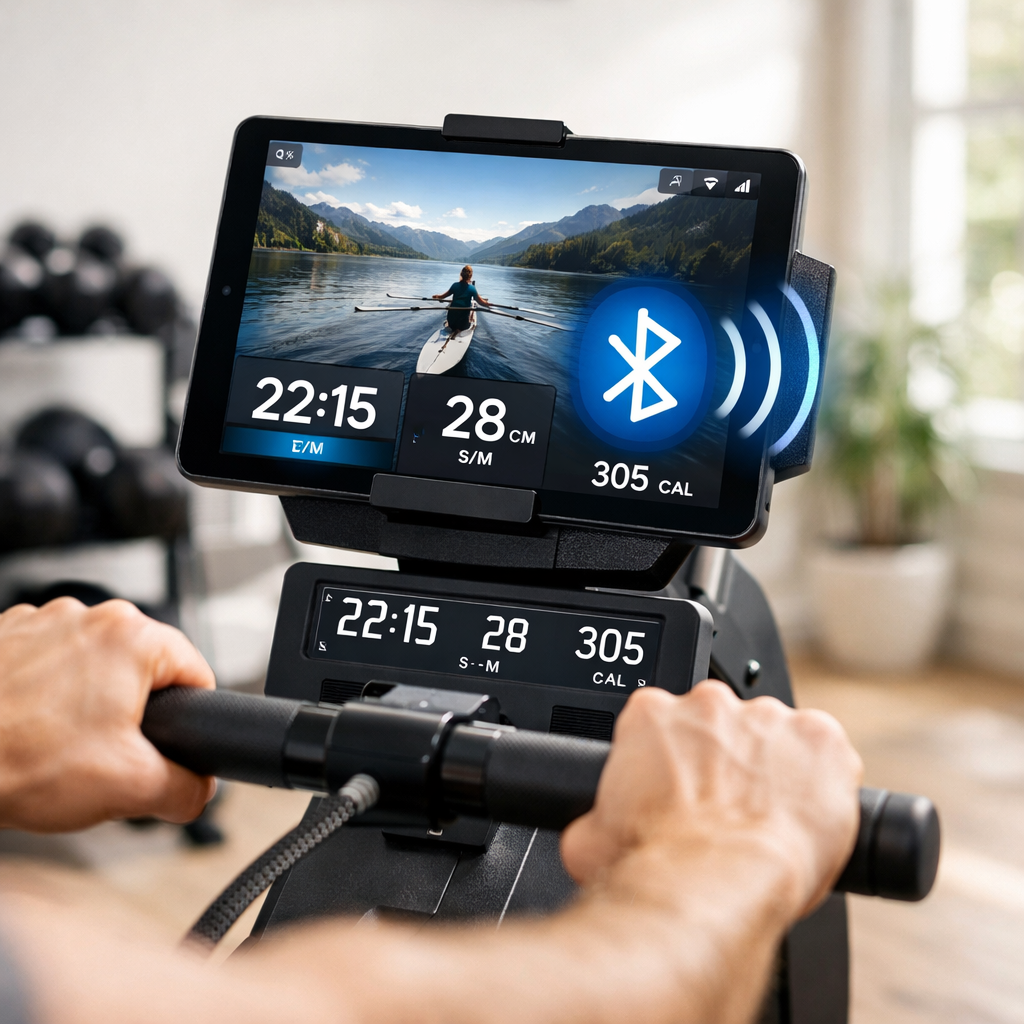
Avoid Sync Headaches: Reliable Rowers With Proven App Compatibility
If you want your rowing workouts to land cleanly in Apple Health, Garmin Connect, or Strava—without juggling dongles or surprise paywalls—focus on machines that broadcast standard metrics over open protocols and play nicely with third‑party apps. Below, we name dependable picks and explain how to avoid lock‑in. In short—based on FitnessJudge’s scoring: Concept2’s PM5 remains the safest open‑ecosystem bet, console-first machines like Hydrow excel at immersive classes but may require ongoing memberships, and BYO‑screen options such as Echelon deliver Bluetooth metrics at lower cost. Use our compatibility scoring lens and setup flows to get exactly the data hub you prefer.
Quick answer
Concept2 RowErg (PM5) — Best open-ecosystem Bluetooth rower
Who it’s for: Data tinkerers and athletes who want reliable app compatibility (Apple Health, Garmin, Strava) and documented, community‑supported integrations across 40+ apps, plus commercial‑grade durability. See details in Open ecosystems that just work. (See Concept2 coverage in Garage Gym Reviews’ rowing machine guide: https://www.garagegymreviews.com/the-best-rowing-machine and community protocol notes on Concept2 Forum: https://www.c2forum.com/viewtopic.php?t=209985.)Hydrow Pro — Best console-first experience
Who it’s for: Studio‑class seekers who want an immersive screen and scenic rows, and who are comfortable with a monthly membership; expect a “just row” mode with reduced features if unsubscribed. See Console-first machines and what to expect. (Membership commonly cited around $38/month in Shape’s guide: https://www.shape.com/best-rowing-machines-8363161.)Echelon Row — Best flexible/budget BYO screen
Who it’s for: Budget‑minded beginners who want compact, foldable hardware, Bluetooth app reliance, and the freedom to stream classes on their own device. See Mid-tier flexible options. (See model notes inside Garage Gym Reviews’ rowing machine guide: https://www.garagegymreviews.com/the-best-rowing-machine.)
How we judge rower-app compatibility
We rate each rower 1–10 across five pillars that matter to real‑world syncing and training adherence:
- Connectivity (openness, stability, documented specs)
- Metrics (completeness: pace/split, stroke rate, distance, watts; HR relay)
- Usability (setup friction, pairing flow, app stability)
- Durability/Ergonomics (build quality, comfort, long-haul reliability)
- Value/Total cost (hardware + memberships + add‑ons over time)
“App compatibility” is a rower’s ability to pair via standard wireless protocols (Bluetooth/ANT+) and continuously transmit core rowing metrics to multiple third‑party apps and wearables without subscriptions or vendor lock‑in, enabling cross‑platform training, health record consolidation, and futureproofed data access.
Why this matters now: market analyses point to smart‑tech integration—Bluetooth, app ecosystems, and advanced displays—as a defining trend in rowing machines, shaping purchase decisions and usage longevity (see DataInsights’ market overview: https://www.datainsightsmarket.com/reports/indoor-rowing-machines-1533515).
Note on independence: FitnessJudge applies the same scoring lens to every machine and reports deal‑breakers plainly. We do not accept vendor payments for placement; if we use retail links, commissions never influence our verdicts. Our recommendations prioritize reliability and open integrations over novelty.
Open ecosystems that just work
Concept2’s RowErg with the PM5 monitor is the gold standard for clean syncing: it broadcasts over Bluetooth, supports heart‑rate accessories, and has a deep third‑party app bench (ErgData, Zwift, Kinomap, and auto‑uploads to Strava via your Concept2 account). Reviewers consistently highlight its durability and longevity across home and commercial gyms (see Garage Gym Reviews’ rowing machine guide: https://www.garagegymreviews.com/the-best-rowing-machine). The Concept2 community also documents the PM5’s Bluetooth behavior and broad app support, making troubleshooting straightforward (see Concept2 Forum: https://www.c2forum.com/viewtopic.php?t=209985)—which aligns with FitnessJudge’s preference for open, documented protocols.
WaterRower owners should note: stable digital metrics typically require the SmartRow pulley add‑on to unlock power/efficiency data and modern Bluetooth app support (see Concept2 Forum community notes above).
Compact comparison: open‑ecosystem contenders
| Rower | Protocols | Supported apps (examples) | Metrics set | Durability | Weight capacity | Storage | Price range |
|---|---|---|---|---|---|---|---|
| Concept2 RowErg (PM5) | Bluetooth Smart (PM5 spec), ANT+ HR | ErgData; Zwift/Kinomap; Strava via Concept2 account | Time, distance, split/pace, SPM, watts; HR relay | Commercial‑proven; easy parts support | 500 lb (widely cited) | Splits into two pieces | Mid |
| WaterRower + SmartRow | Bluetooth Smart via SmartRow | SmartRow app; Kinomap; Apple/Strava via bridges | Time, distance, split, SPM, watts; HR via strap | Robust wood frame; long service life | Varies by model | Vertical stand | Mid–High |
| Rogue Echo Rower | Basic console; limited BT/ANT+ (often HR only) | Minimal native app support | Core console metrics; limited third‑party telemetry | Heavy‑duty build | Varies by model | Upright/footprint‑saving options | Mid |
Notes: Model specifics can vary by year/firmware. Always confirm protocol support and third‑party app behavior with the current spec sheet and user forums (see Concept2 Forum above). For broader build‑quality snapshots, see Verywell Fit’s best rowers roundup: https://www.verywellfit.com/best-rowing-machines-4156530.
Console-first machines and what to expect
A console‑first rower integrates a large touchscreen with a proprietary training platform. It emphasizes on‑device classes, scenic rows, and leaderboards, often requiring a monthly membership. Third‑party app access may be limited, and offline “just row” modes can be stripped down to basics.
Hydrow exemplifies the category with a 16‑inch HD screen, smooth electromagnetic resistance, and cinematic waterways. Expect a membership at activation for the full experience—guides commonly cite around $38 per month—and premium upfront pricing (see Shape’s best rowing machines overview: https://www.shape.com/best-rowing-machines-8363161). Before you buy, FitnessJudge recommends verifying in writing whether Bluetooth metric export (time, distance, pace, SPM, HR relay) works without an active subscription, and what exactly “just row” mode includes. Industry design coverage has also noted a broader shift toward immersive, subscription‑tied platforms—great for motivation, but a potential lock‑in risk if you later switch ecosystems (see BioFit’s trend analysis: https://biofit.io/news/rowing-gym-design-equipment-trend). FitnessJudge flags these trade‑offs so you know what you’re paying for.
Mid-tier flexible options
If you prefer to stream classes from your own tablet and keep Bluetooth open, mid‑tier BYO‑screen rowers can be the sweet spot. The Echelon Row is compact and foldable, relies on a companion app for programming, and usually costs less than console‑first machines. It pairs over Bluetooth for core metrics; confirm whether it exports time, pace, SPM, watts, and HR to your preferred third‑party app or if it keeps data within its own platform (see model notes in Garage Gym Reviews’ guide: https://www.garagegymreviews.com/the-best-rowing-machine). This flexibility typically scores well on FitnessJudge’s Value/Total cost pillar.
Trade‑offs versus console‑first: fewer native studio features and no baked‑in leaderboard, but more flexibility, lower total cost, and easier app switching later.
Connectivity standards that matter
Bluetooth
Bluetooth is the ubiquitous wireless standard phones, tablets, and many wearables use to connect to fitness equipment. For rowing, it carries real‑time metrics such as split/pace, stroke rate, distance, and sometimes power (watts). It enables simple setup across iOS and Android and underpins most app compatibility today.
ANT+
ANT+ is a low‑power wireless protocol common in endurance sensors and bike head units. Garmin’s ecosystem especially benefits from ANT+ for resilient multi‑receiver broadcasting. Fewer rowers offer native ANT+ for full telemetry, but ANT+ can improve reliability in crowded gyms and supports multiple simultaneous listeners.
Digitalization—Bluetooth, app ecosystems, and advanced consoles—is reshaping rowing machine design and buyer expectations (see DataInsights’ market overview: https://www.datainsightsmarket.com/reports/indoor-rowing-machines-1533515).
Bluetooth vs ANT+ for rowing data
| Feature | Bluetooth | ANT+ |
|---|---|---|
| Typical range | ~10–30 m | ~10–30 m |
| Pairing model | Usually one host (phone/tablet) per sensor | Broadcast to multiple receivers simultaneously |
| Common devices | iPhone/Android, tablets, many HR straps, gym apps | Garmin watches/bike computers, HR straps, some gym consoles |
| Strengths | Ubiquitous, easy app pairing, Health/Android integration | Robust multi‑receiver setups, low power, great for watch‑first logging |
| Limitations | Some devices lock to a single host; interference in busy RF | Fewer rowers support full ANT+ rowing profiles |
| Best use cases | Apple/Android app workflows, Strava via app bridges | Garmin‑centric training, multi‑device data capture |
Common sync failures and how to avoid them
Pitfalls to watch (FitnessJudge’s shortlist):
- Subscription dependency that degrades export or “just row” features on console‑first platforms (noted in industry trend coverage: https://biofit.io/news/rowing-gym-design-equipment-trend and consumer guides like Shape: https://www.shape.com/best-rowing-machines-8363161).
- Closed, proprietary connections with no published specs—harder to future‑proof or troubleshoot (see community cautions in Concept2 Forum: https://www.c2forum.com/viewtopic.php?t=209985).
- Incomplete metric sets (missing watts or SPM) or flaky telemetry in budget consoles (flagged in broad roundups like Garage Gym Reviews: https://www.garagegymreviews.com/the-best-rowing-machine).
Pre‑purchase verification (5 steps):
- Check protocol docs: Bluetooth spec notes, ANT+ support, or API/SDK availability.
- Confirm the vendor’s supported apps list and whether Strava/Apple/Garmin are direct or via bridges.
- Read active user forums for real‑world pairing reports (e.g., Concept2 Forum above).
- Test with your HR strap/watch if possible, or confirm compatible models in writing.
- Validate “no‑subscription” operation on the sales page: what does “just row” actually record and export?
Proven app workflows by platform
Simple, reliable routes to your preferred data hub.
Apple Health and Apple Watch
Apple Health can store 150+ types of health data, including key cardio metrics like resting heart rate and cardio fitness, making it a strong long‑term hub (see Apple’s Health Report: https://www.apple.com/newsroom/pdfs/Health-Report-September-2022.pdf).
Two dependable workflows:
- Concept2 → ErgData → iPhone → Apple Health
Steps: Pair PM5 to ErgData on iPhone; enable Health permissions for ErgData (Workouts, Heart Rate, Active Energy). Optionally pair Apple Watch as your HR source in ErgData or record on watch for rings. - BYO‑tablet rower → vendor/third‑party app → Apple Health bridge
Steps: Pair rower to app (e.g., Kinomap‑style); in the app’s settings, enable Apple Health write access for Workouts and relevant metrics.
Tip: To prevent duplicates, allow only one app to write “Workouts” to Health; others can read.
Garmin and ANT+
Workflow for a unified Garmin log:
- Pair your HR strap to your Garmin watch.
- Start an Indoor Row activity on the watch to record time/HR (and rowing metrics if supported).
- In parallel, let the rower stream via Bluetooth to a tablet app for richer on‑screen feedback.
- Sync post‑workout to Garmin Connect as your primary training record. ANT+ excels if you’re broadcasting HR to multiple receivers or training in sensor‑dense gyms.
Strava and training logs
Two clean routes:
- Concept2 → ErgData → Concept2 online log → Strava auto‑upload
Outcome: Time, distance, pace; some bridges also pass stroke rate and watts. - Watch‑first logging (Apple/ Garmin) → native Strava sync
Outcome: Prevent duplicates by ensuring only one service pushes the workout.
Buying checklist to prevent sync issues
- Verify documented Bluetooth/ANT+ support, any API/SDK, and a current list of supported apps; scan active community forums for live interoperability reports (see Concept2 Forum: https://www.c2forum.com/viewtopic.php?t=209985).
- Decide console‑first vs BYO tablet based on how much you value on‑screen classes and whether you’re comfortable with ongoing memberships (see Shape’s overview for membership expectations: https://www.shape.com/best-rowing-machines-8363161 and trend context from BioFit: https://biofit.io/news/rowing-gym-design-equipment-trend).
- Balance build quality, ergonomics, warranty, storage needs (folding/vertical), and capacity; leading models like Concept2 list capacities around 500 lb and are frequent top picks in independent roundups (see Consumer Reports’ annual picks: https://www.consumerreports.org/health/rowing-machines/best-rowing-machines-of-the-year-a1012427563/).
This checklist mirrors FitnessJudge’s scoring lens to minimize setup friction.
Total cost of ownership and subscriptions
Consider the full equation across 3–5 years:
- Hardware price
- Required memberships
- Accessory add‑ons (HR straps, SmartRow pulley for WaterRower)
- App fees/bridges
- Expected lifespan and resale value
Category examples:
- Console‑first: Premium hardware plus a likely ~$38/month membership for full features; “just row” without a sub can limit exports or classes (as noted in Shape’s Hydrow coverage above and broader industry trend pieces).
- Open/BYO: Lower upfront or mid‑tier cost, optional apps, and excellent longevity on durable models like Concept2 (see Garage Gym Reviews’ durability notes above).
FitnessJudge rolls these factors into Value/Total cost scores rather than headline price alone.
Macro context: High upfront cost and space needs remain purchase barriers; compact designs and vertical storage help offset footprint while preserving training access (see MarketReportAnalytics’ sector view: https://www.marketreportanalytics.com/reports/rower-machines-334358 and product storage options highlighted in Garage Gym Reviews’ guide linked earlier).
Who each category is best for
- Open ecosystem (Concept2, WaterRower + SmartRow): Best for data‑driven athletes who want Apple Health/Garmin/Strava workflows, broad app choice, and strong durability/resale.
- Console‑first (Hydrow and similar): Best for class lovers who value immersive programming and don’t mind ongoing memberships.
- Mid‑tier flexible (Echelon Row): Best for budget‑conscious users who want Bluetooth metrics and freedom to stream third‑party classes on their own device.
Across categories, top‑tested machines share superior ergonomics and construction—key drivers of long‑term satisfaction and safety (see Consumer Reports’ rowing machine picks: https://www.consumerreports.org/health/rowing-machines/best-rowing-machines-of-the-year-a1012427563/). FitnessJudge weighs these fundamentals heavily in our picks.
Frequently asked questions
Do I need a subscription for my rower to sync basic metrics?
Many Bluetooth‑enabled rowers can sync time, distance, pace, and stroke rate without a paid membership. FitnessJudge recommends confirming “just row” capabilities and Bluetooth export details before buying.
Which metrics should a compatible rower reliably transmit?
A compatible rower should reliably transmit time, distance, split/pace, stroke rate (SPM), and watts, plus heart rate via a paired strap or watch. These are the core fields most training apps and wearables ingest for accurate analysis.
Can I use a third-party app with a built-in-screen rower?
Sometimes. FitnessJudge recommends checking third‑party support, as many built‑in‑screen rowers prioritize their own platform and reserve full integration for their ecosystem.
What’s the difference between Bluetooth and ANT+ for rowing data?
Bluetooth is common for phone/tablet app pairing and broad compatibility. ANT+ excels at low‑power broadcasting to multiple receivers, which endurance athletes prefer for robust multi‑sensor setups.
How can I troubleshoot frequent dropouts or missing workouts?
FitnessJudge’s quick fix: update firmware and apps, pair only one host device at a time, minimize 2.4 GHz interference, and disable duplicate auto‑uploads. If you’re on a built‑in console, verify that Bluetooth export works without a subscription.